Touch Typing for Children and Adults

NOW AVAILABLE!

Online version for Windows, MacOS and Chrome.

Englishtype Senior Product Image
Englishtype Senior Heading

EnglishType Senior - Learn to Type for Adults and Teenagers

Educational & Entertaining

  • uses age relevant & useful vocabulary, particularly high frequency words
  • no nonsense words or random letter strings that are frustrating, confusing and damaging to literacy skills
  • Select from 4 levels of language difficulty

Learning to type by touch as an adult – an essential life skill

Used at home and in school by thousands of people, Englishtype Senior a version of the best selling children’s program for older pupils. It’s never too late to improve your typing and stop pecking at the keyboard. It’s far more than a typical typing lesson. We recommend Senior for anyone learning to type at 12+yrs, our oldest customer so far is 82!

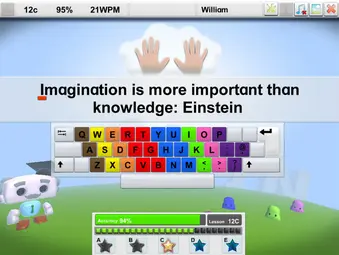
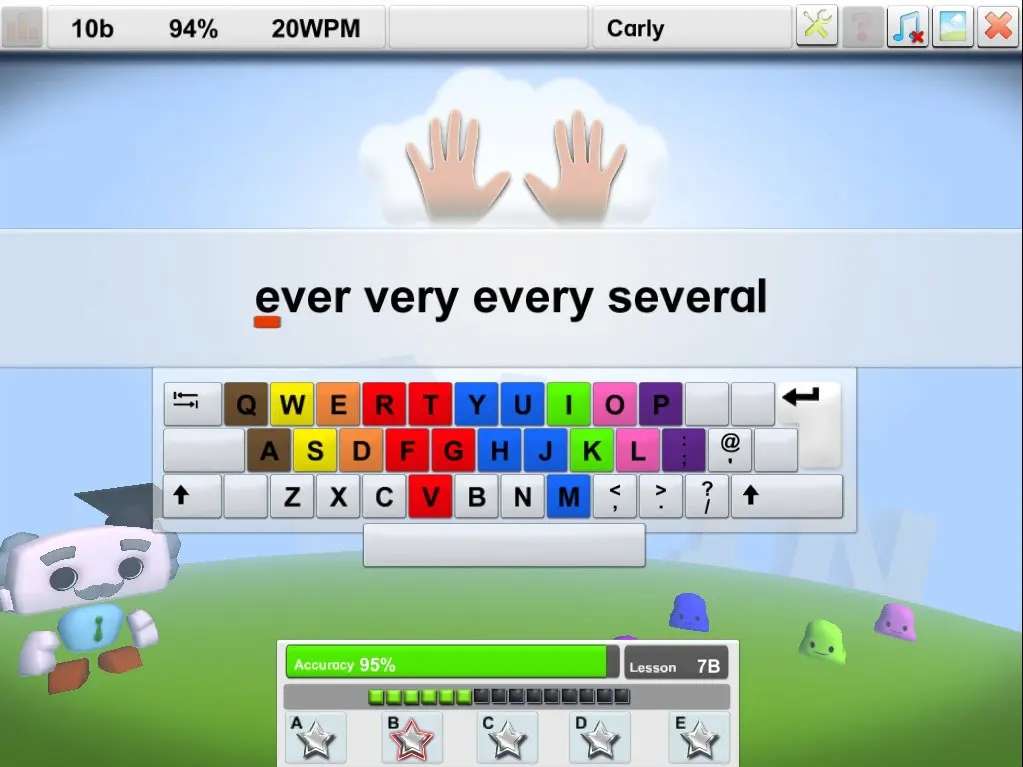
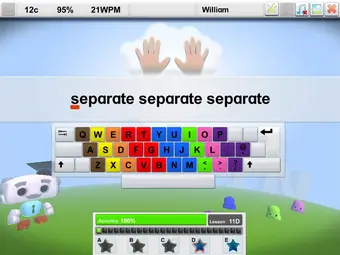
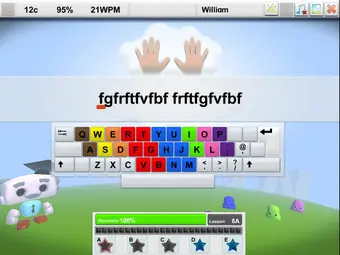
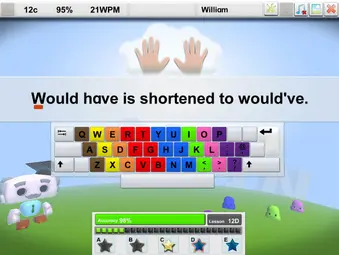
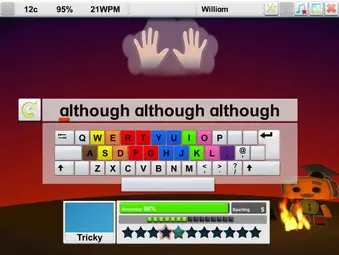
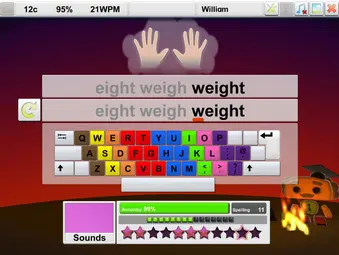
Englishtype uses unique colour coding to teach touch typing quickly. Learning key & finger relationships rapidly is the aim of any typing tutor. Englishtype’s exclusive design builds muscle memory quickly & efficiently.   Typing with muscle memory increases speed & accuracy by at least 200-300%, that’s one hour of work instead of 3 hours at the computer.  Invest a few weeks of typing practice and gain a skill for life.

Englishtype Senior Product Images - 0010
Englishtype Senior Product Images - 0012
Englishtype Senior - Boost literacy 3
Englishtype Senior Product Images - 0035

Boost Literacy While Learning to Type

Englishtype helps you learn to type while improving your reading and spelling. It uses simple words which help to build confidence and develop key skills at the same time.

The program is made for adults of all abilities and levels. It offers enough challenges for more confident learners, but also gives support to those who need it. Such as people with special educational needs.

Special Needs friendly features including:

  •  multi sensory design
  • strong colour coding
  • simple and uncluttered style
  • spoken and written instructions
  • custom background screen colours
  • highly structured content
ever very every several
Englishtype Senior Product Images - 0005
Englishtype Senior Product Images - 0007
Englishtype Senior Product Images - 0008

Activities

Englishtype Senior uses a range of activities to help adults learn touch typing. Each activity helps to build accuracy, speed and muscle memory.

  • LESSONS – Work through main lessons, extra practice, numbers and symbols.
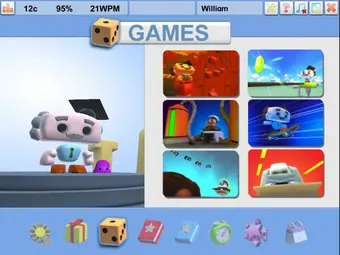
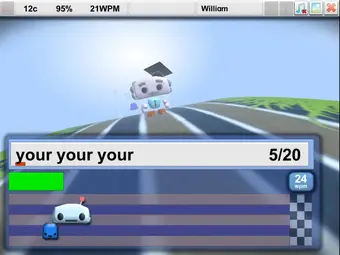
  • GAMES – Enjoy fun typing games that test your skills without an on-screen keyboard.
  • BOOSTER – Use special exercises to build muscle memory and increase your typing speed.
  • TYPE TESTS & CERTIFICATES – Complete typing tests and earn Bronze, Silver or Gold certificates.
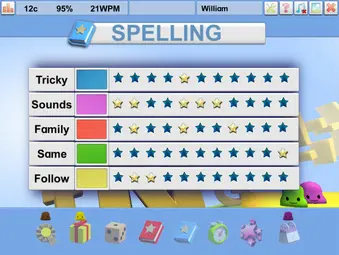
  • SPELLING – See, hear, read and type words in our special spelling lessons.
  • AWARDS – Earn trophies, rosettes and stars as you reach new goals.
  • OUTFITS – Change Qwerty’s look by earning fun new costumes.
  • DIARY – Track your practice days and collect a new sticker each day.
Englishtype Junior Product Images - 0020
Englishtype Senior Product Images - 0003

Different Activities Keep Motivation High

Lessons

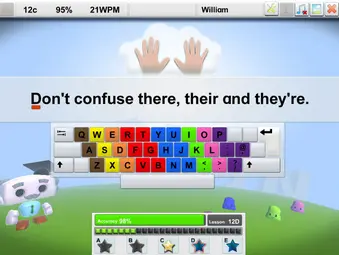
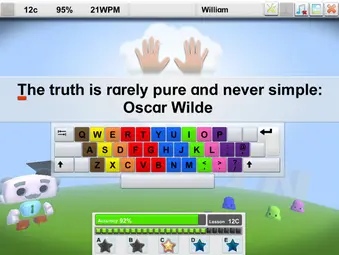
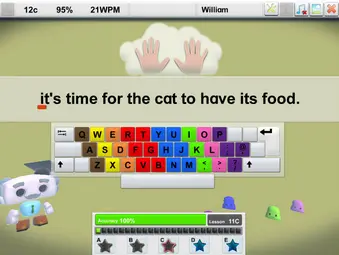
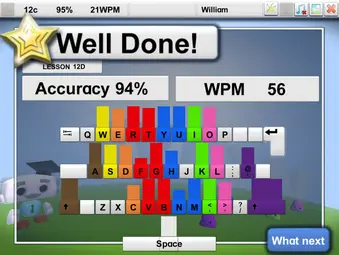
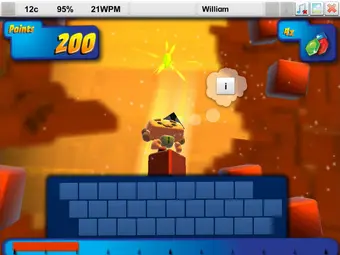
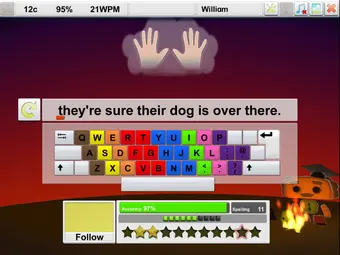
Lessons are the core of the program – teaching which fingers are which colour and do which letters. Each Lesson level has 3 main sections, A, B and C:  A sections are finger movements, B sections are words and C sections are phrases. Extra lessons D & E for additional practice, totals 5 sections per lesson. Bronze, silver & gold stars motivate progress.  Key accuracy is shown at the end of every lesson, highlighting any keys that need a bit more work. Try our free typing demo to experience it for yourself!

Englishtype Junior Product Images - 0020
Englishtype Senior Product Images - 0025
Englishtype Senior Product Images - 0009
Englishtype Senior Product Images - 0027

Games

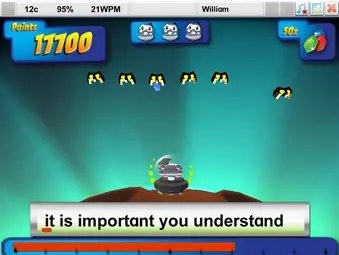
There are 6 games. After each Lesson level, a game unlocks – games are fun but test if you’ve learned the letters – there is no onscreen keyboard to help.  Lessons and early games focus on accuracy only; it’s important to be accurate or you will never be quick.  Later games need accuracy and speed.

Englishtype Senior Product Images - 0020
Englishtype Senior Product Images - 0022
Englishtype Senior Product Images - 0023

Booster

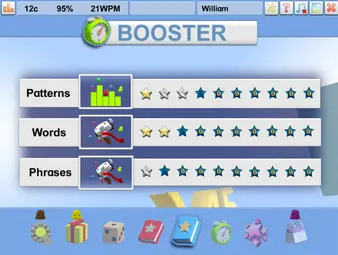
Booster starts around halfway through the programme. By this stage, learners have built a good base. They know where the keys are and can type with more care. Booster then helps them begin to type faster. It does this through short typing tasks.

These focus on common letter pairs, simple word patterns and words that come up often. With practice, the fingers start to remember these patterns. This means learners do not have to look for each key one by one.

Booster helps build speed in a steady way. It supports faster typing while still helping learners stay in control.

Englishtype Senior Product Images - 0003
Englishtype Senior Product Images - 0019

Spelling

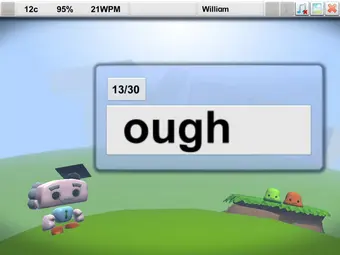
There are also optional Spelling lessons for anyone who finds spelling tricky or wants extra practice.  There are 5 different activities – all focus on relevant, high frequency words.  The words are spoken, then disappear from the screen.  Click to read & listen again if needed.

Englishtype Senior Product Images - 0028
Englishtype Senior Product Images - 0029
Englishtype Senior Product Images - 0030
Englishtype Senior Product Images - 0031

TypeTest & Certificates

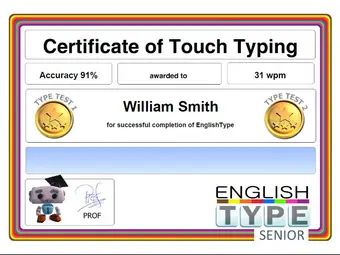
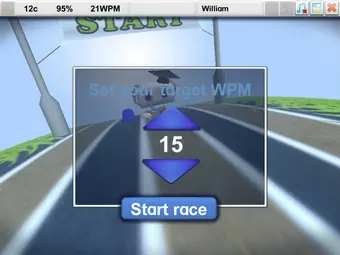
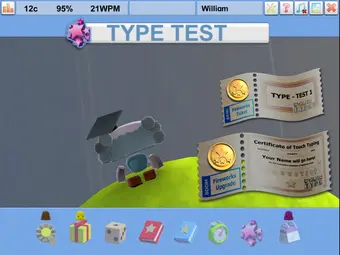
There are two typing tests to help track progress. One test is taken halfway through the course. The second test comes after lesson 12, once the course is complete.

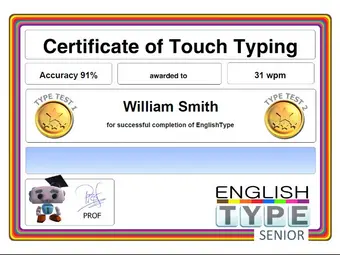
A Gold medal on TypeTest2 shows that muscle memory is starting to work well. Learners can also view and print colourful certificates to mark their progress.

Englishtype Senior Product Images - 0032
Englishtype Senior Product Images - 0033
Englishtype Senior Product Images - 0034
Englishtype Senior Product Images - 0035

Schools and Teachers

Englishtype Senior can fit into the timetable in lots of different ways.  In IT lessons, a typing club (breakfast, lunch or after school), as an intervention for SEN pupils, are just a few examples.  Combining lessons in schools with logging in at home for extra practice is a very effective way to teach and makes up for lack of timetable time.

Englishtype Senior has a detailed Teacher Administration package for schools, including grouping by class, certificates, & printing and/or exporting results (see Schools/Teachers page)

Frequently Asked Questions

No. Adults can learn to touch type at any age. Englishtype Senior is suitable for anyone aged 12 or over. This includes complete beginners and older adults.

The course teaches each key and finger position one step at a time. With regular practice, you can replace old typing habits with a faster and more accurate method.

Yes. Many adults start the course because they type with two fingers or often look down at the keyboard.

Englishtype uses clear instructions, colour coding and simple exercises. These help you learn which finger to use for each key. You may type more slowly at first, but this is a normal part of learning.

This will depend on your current skills and how often you practise. Some people may finish the main course within a few weeks. Others may choose to learn at a slower pace.

Short and regular sessions are often better than long sessions now and then. With practice, you can improve your muscle memory, speed and accuracy.

Try to practise on most days where possible. Short and regular sessions can make it easier to remember the key positions.

Even 10 to 20 minutes of practice can help you build better typing habits. Englishtype also includes a diary and rewards to help you track your progress.


Yes. Englishtype Senior is designed to support adults with a wide range of needs and abilities.

It includes colour coding, spoken and written instructions, clear activities and a choice of background colours. The simple layout may also help people with dyslexia, dyspraxia, autism, visual stress or problems with focus.

Yes. Englishtype uses real and useful words from the first lesson. Learners do not have to practise with random groups of letters.

The spelling exercises let you see, hear, read and type each word. This can help you improve your typing while building confidence with spelling and everyday words.

The online version of Englishtype Senior works on Windows computers, Mac computers and compatible Chrome devices.

You will need a physical keyboard to complete the lessons and learn the correct finger positions. You can also try the demo before you buy the full course.